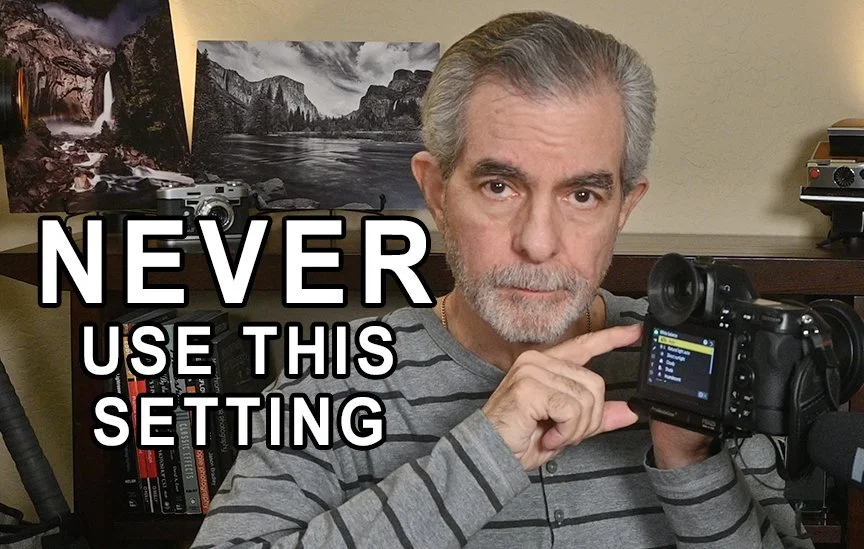
White Balance for Landscape Photography: Stop Letting Your Camera Decide
One of the questions I hear most often from landscape photographers is surprisingly simple:
“What white balance should I be using?”
Should you trust Auto White Balance? Is Daylight better? What about Cloudy? Or should you dive into Kelvin settings and customize everything yourself?
The truth is, white balance is far more than a technical camera setting. It has a tremendous influence on the mood, atmosphere, and emotional impact of your photographs. A small change in white balance can transform a warm, inviting sunrise into something cold and lifeless—or preserve the magic exactly as you experienced it.
Understanding when to let your camera make the decision and when to take control yourself is one of the easiest ways to improve your landscape photography.
Understanding White Balance
White balance controls how warm or cool your image appears by compensating for the color temperature of the light around you.
Natural light is constantly changing throughout the day. Sunrise and sunset produce warm, golden light, while midday sunlight is much more neutral. Overcast skies and deep shade often introduce cooler, bluish tones.
Your camera’s job is to remove these color casts and produce what it believes is neutral color. While that’s helpful in many situations, landscape photography is often about preserving the feeling of the light—not correcting it.
That’s where your choice of white balance becomes a creative tool.
Is Auto White Balance Good Enough?
Modern cameras have become remarkably good at Auto White Balance (AWB). In many situations, it delivers an accurate, neutral image with little effort from the photographer.
Auto White Balance works particularly well when you’re photographing in evenly lit midday conditions, documenting a scene where color accuracy is more important than atmosphere, or working in rapidly changing lighting conditions. If you’re shooting RAW, white balance isn’t permanently baked into the file, allowing you to adjust it later during post-processing without sacrificing image quality.
So yes—Auto White Balance certainly has its place.
But for landscape photography, it also has one significant drawback.
Consistency.
As the light changes or even as you slightly recompose your scene, Auto White Balance may calculate a different color temperature for every single frame. That inconsistency becomes especially noticeable during sunrise and sunset, when creating panoramas, or when blending multiple exposures later in post-processing.
Even more importantly, Auto White Balance often tries to neutralize the warm colors that make sunrise and sunset so beautiful. Instead of preserving the rich golden glow you experienced, your camera may cool the scene down, reducing much of its emotional impact.
Why I Prefer Manual White Balance
For landscape photography, I almost always use manual white balance presets instead of Auto White Balance.
The reason is simple: I want consistency and creative control.
Using a fixed white balance keeps every image in a series looking the same, making panoramas and image blending much easier later. It also preserves the natural warmth of sunrise and sunset rather than allowing the camera to decide how warm the scene should be.
Perhaps most importantly, it gives me a predictable starting point when I begin editing in Lightroom.
Instead of correcting dozens of slightly different white balance settings, I’m working from a consistent baseline.
My Recommended White Balance Settings
While there is no single “correct” white balance for every situation, I have found a few settings that consistently produce natural-looking results.
Sunrise and Sunset
This is the time of day when I strongly recommend avoiding Auto White Balance.
These are the moments when warm light defines the entire scene. Auto White Balance frequently cools those colors, removing much of the beauty that attracted you to the scene in the first place.
I recommend using either Daylight or Cloudy.
Daylight preserves the natural warmth of the scene, while Cloudy adds a little extra warmth if you’re looking for an even richer golden glow.
Whichever you choose, stick with it throughout the entire shoot to maintain consistency.
Golden Hour
For golden hour, I almost always use Daylight.
The light is already beautifully warm and directional. Daylight captures those colors naturally without overdoing the effect, while maintaining realistic colors in rocks, foliage, and even people if they’re included in the scene.
Blue Hour
Blue hour may seem like the perfect time to let Auto White Balance take over, but I actually recommend Daylight here as well.
The cool blue tones are what make blue hour special. Auto White Balance often attempts to remove those blues, leaving images that appear flat, gray, and much less dramatic than the scene you witnessed.
Daylight preserves the beautiful cool atmosphere that defines this time of day.
Midday Sun
Midday is one of the few situations where Auto White Balance performs very well.
The light is already fairly neutral, so either Auto or Daylight will generally produce excellent results.
If I’m trying to maintain consistency throughout an entire trip, I still prefer Daylight.
Overcast and Stormy Conditions
Cloudy days often produce soft, beautiful light, but they can also leave photographs looking cool and somewhat lifeless.
For these situations, I recommend using the Cloudy preset.
It gently warms the scene, bringing life back into foliage, rocks, and distant landscapes without making the colors look unnatural.
Deep Shade
Shade tends to introduce a strong blue color cast.
Using the Shade preset adds significant warmth, helping restore natural color and preventing images from feeling cold and sterile.
What About Kelvin White Balance?
If you want maximum creative control, Kelvin white balance is the ultimate solution.
Rather than relying on presets, you manually select the color temperature yourself.
Many landscape photographers use lower Kelvin values—around 4500K to 5000K—for cooler, moodier scenes, while higher values between 6000K and 7500K enhance the warmth of sunrise and sunset.
Kelvin settings offer incredible flexibility, but they do require experience and a solid understanding of how color temperature influences mood.
If you’re just getting started, I believe the built-in presets are faster, simpler, and far more reliable.
Don’t Forget Lightroom
One of the advantages of shooting RAW is that white balance remains completely adjustable during post-processing.
In Lightroom, you can select an entire group of photographs from the same shoot and adjust the white balance for all of them simultaneously.
That makes it easy to fine-tune the overall look while still benefiting from the consistency you created in the field.
My Final Recommendation
If I could leave you with just a few simple guidelines, they would be these:
Shoot RAW whenever possible.
Avoid Auto White Balance during sunrise and sunset.
For most landscape photography, I personally avoid using Auto White Balance altogether.
Use Daylight or Cloudy presets to maintain consistency throughout your shoot.
Make creative white balance adjustments later in post-processing instead of allowing the camera to make different decisions for every frame.
White balance isn’t just another menu setting hidden inside your camera.
It’s one of the most powerful creative tools you have.
When you take control of it, your photographs begin to reflect what the landscape actually felt like—not simply what your camera thought was neutral.